9. Back light and the oblique camera
Back to the tutorial. Code: the back-light block in Bush.fields and view_tilt in WillowBush, code/bush.py; willow_cell and rotate_x in code/sheets.py.
Back light is an inversion, not a rim
I first gave a back-lit bush a 3-px rim of light, so it read as a dark blob with a halo. In a photograph of a back-lit willow the whole crown glows pale yellow-green wherever it is thin, and the twigs are dark lines across the glow. Willow leaves are thin: light comes through them.
So with the sun behind (L[2] < 0, toward the sun pointing away from the viewer), set the lit family from an estimated thickness: thin near the silhouette and in the upper crown, thick in the core and at the base.
# bush.py, Bush.fields
back = np.clip((-L[2] - 0.15) / 0.6, 0, 1) * self.glow
lam = max(4.0, self.W * 0.24)                    # how far in from the edge light still gets through
upper = np.clip((self.gy - yy) / self.H, 0, 1)
t = np.exp(-(edge - 1) / lam) * (0.5 + 0.5 * upper) + 0.45 * upper ** 1.5
t = t * (0.7 + 0.6 * rn) * back                  # rn: smooth noise, so the glow is patchy
gl = mask & (t > 0.22) & ~interior
x = np.where(gl, np.maximum(x, 3.0 + 2.4 * np.clip((t - 0.22) / 0.45, 0, 1)), x)
lit = lit | gl
edge is the distance in from the silhouette. And in paint_willow, when back-lit, 1.6× as many wands show through the canopy, all in the darkest twig step, drawn over the leaves:
backlit = L[2] < -0.3
if backlit and wv:
    wv = dict(wv, p=min(1.0, wv["p"] * 1.6), brk=wv["brk"] * 0.6)
...
wandpx.append((px, py, 0 if backlit else (2 if litp else 1)))
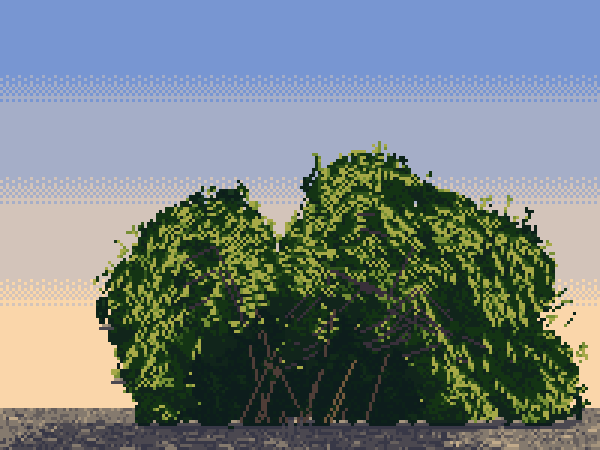
A back-lit willow at golden hour.
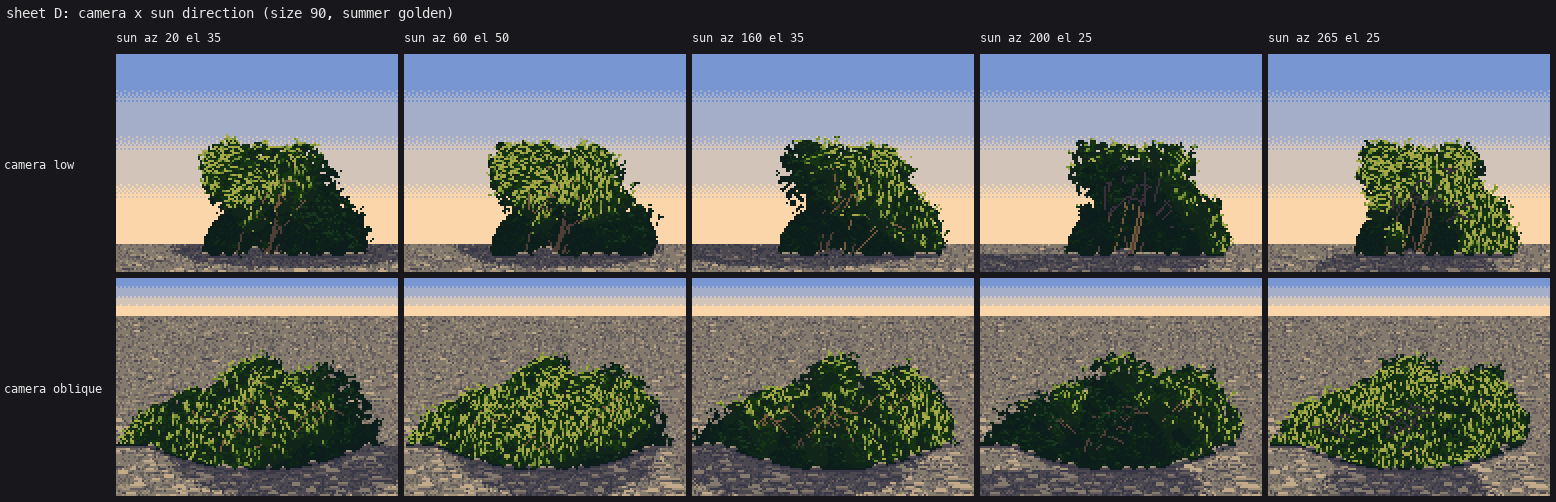
Sheet D: two cameras × five suns. The two right-hand columns are back-lit.
The oblique camera
For a 30° view from above I don't rotate the bush's geometry into a new camera; I keep the painter in screen space and change two things.
Rotate the light, with the right sign. Seeing the scene from 30° above is the same as tilting the world's up 30° toward the viewer, so the light vector rotates by +30° about the x axis:
def rotate_x(L, deg):
    a = np.radians(deg); x, y, z = L
    return np.array([x, y * np.cos(a) - z * np.sin(a), y * np.sin(a) + z * np.cos(a)])
L = rotate_x(L, 30)
I had −30° for a long time. It put the sun behind every oblique bush, so they were all back-lit, and dark at noon. I only noticed when I built real back light and my "front-lit" oblique bushes looked like my back-lit ones.
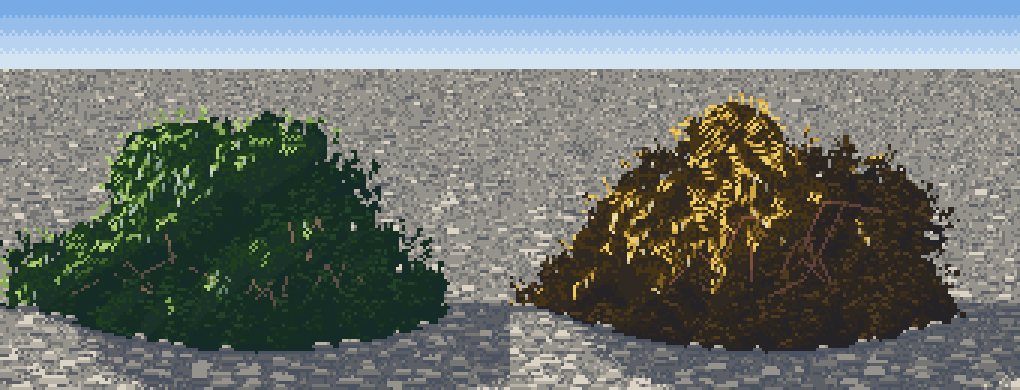
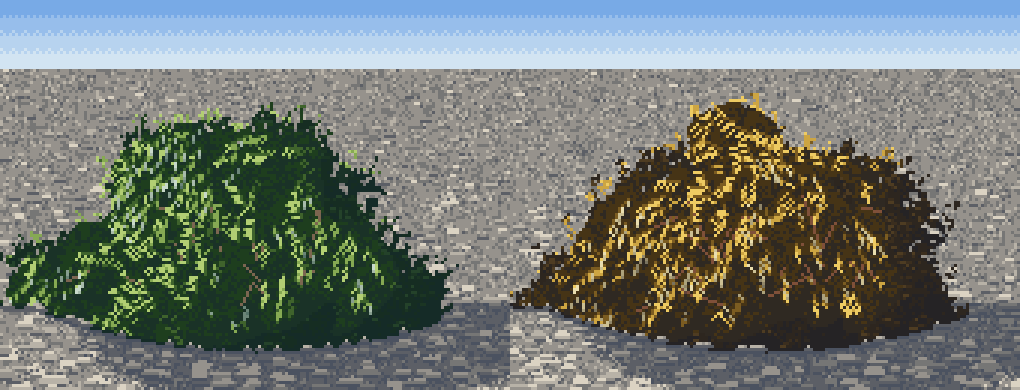
Before and after the sign fix. Still a haystack.
Tilt the geometry too. The haystack came from lighting a bush seen from above while drawing it as if seen from the side: the crown stacked up into a cone. From 30° up, a point's depth moves it down the screen and its height foreshortens. One line on every wand point spreads the crown into sub-crowns at different screen heights:
# WillowBush.__init__
ca, sa = np.cos(np.radians(self.view_tilt)), np.sin(np.radians(self.view_tilt))
pts[:, 1] = gy + (pts[:, 1] - gy) * ca + pts[:, 2] * sa
With it, the oblique cell uses no skirt curtain, a flatter crown (top_flat=0.8), no stem hollow (you can't see under a bush from above), a ground contact that curves down in the middle (base_arc), and a more foreshortened cast shadow.
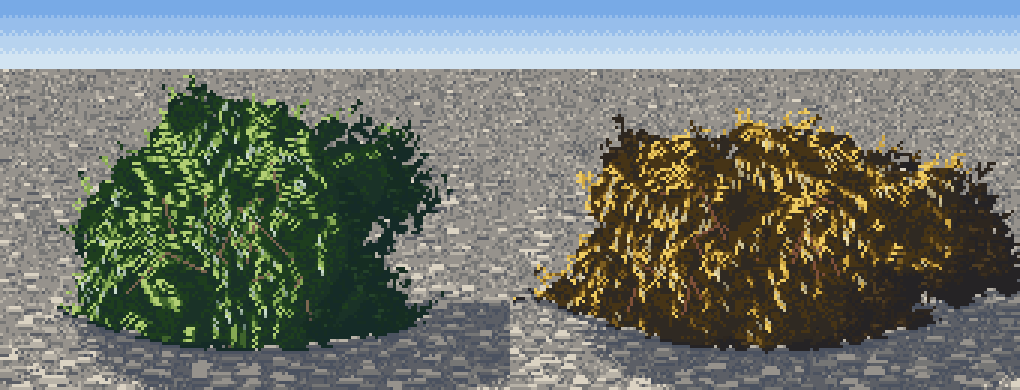
The oblique willow after the tilt: sub-crowns, not a cone.
Still short
Back-lit leaves should glow in a warmer ramp than sunlit ones (a palette change). And from above, a willow's crown should show its wands radiating from the crown in plan, which my side-built fan only suggests.