Copying a passage
Front page: the tutorial. Code: src/copykit.py, work/gridref.py, copies/p1_foliage.py … copies/p5_gorge.py in the study folder.
This is the method everything else came from. I learned it the long way: first a rule-applying machine, then two whole-picture copies, and only then passages. Teach yourself in this order instead.
1. Pick a passage, not a picture
A passage is one material in one light, small enough to see every pixel at 8×: 60–140 px on a side. Mine:
| Copy | Source | Size | Material |
|---|---|---|---|
| P1 | C-0007, right side (p.60) | 72×60 | broadleaf crowns from above |
| P2 | cover, upper right | 60×84 | far peak in mist |
| P3 | cover, lower left | 72×90 | near rocks, lit top planes |
| P4 | C-0064, lower left (p.52) | 122×60 | a grass slope |
| P5 | C-0792 (p.56) | 142×77 | light cut into a gorge |
Whole-picture copies came first and failed. They were too big to see and too big to fix, so errors hid behind each other:
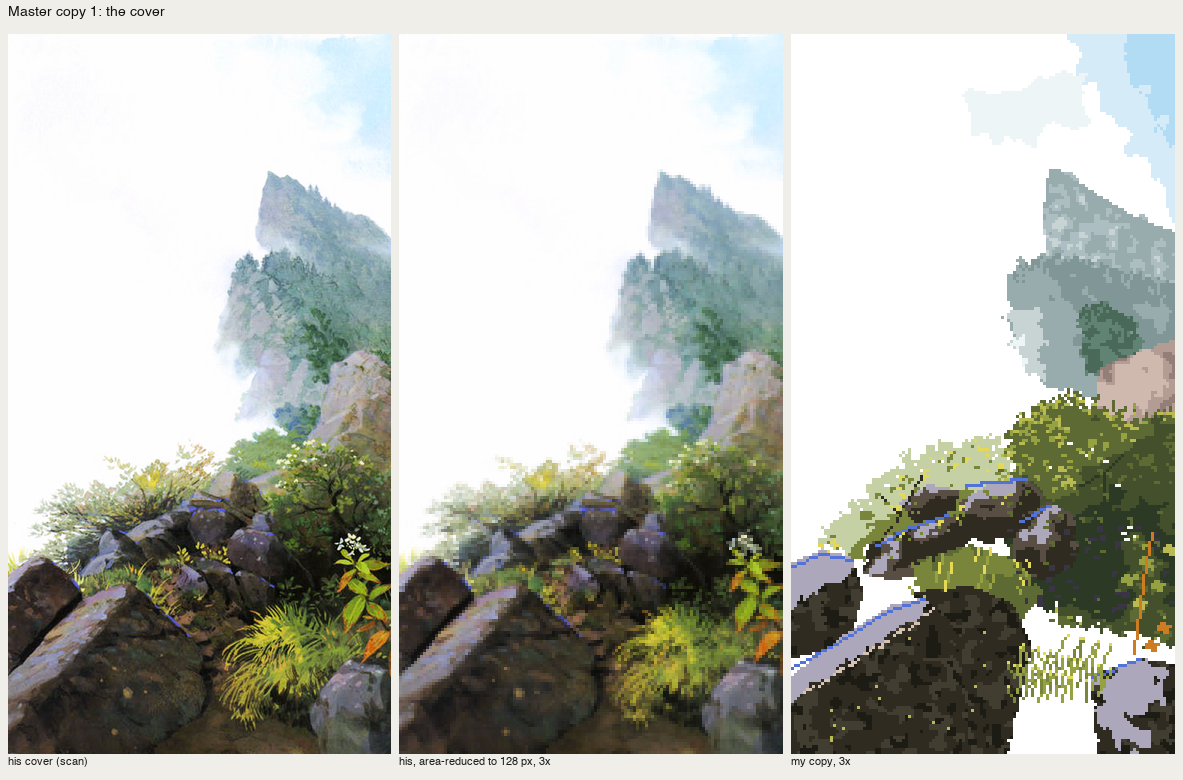
nb195. His cover | reduced to 128 px | my first whole copy. Paper-white gaps where hand polygons didn't meet; blocks where he has gradations.
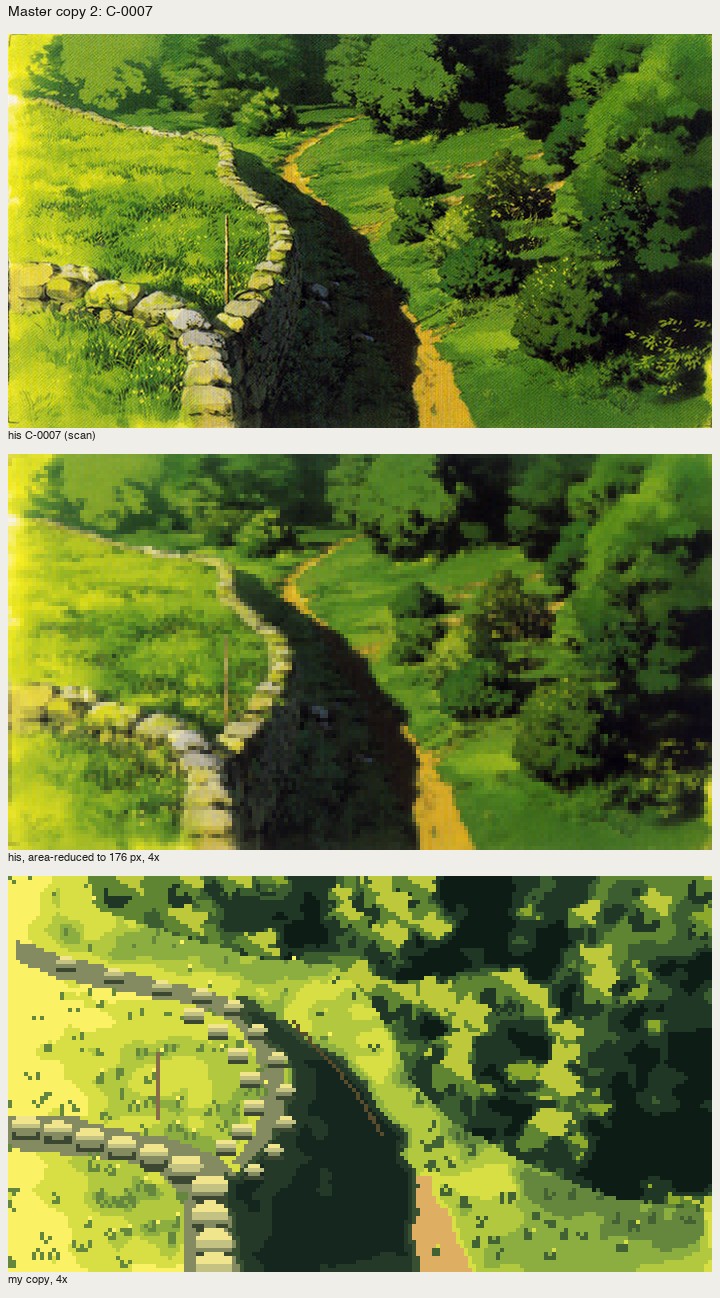
nb205. C-0007 copied whole. The composition carries, the materials don't: one stone stamped 25 times, crowns as blocks.
2. Reduce his plate to your size and grid it
Levels-correct the plate first (how-to 1), then area-reduce with a box filter to the pixel size you'll paint at, and blow it up with an 8-px grid, so you can read positions off it the way you'd read a map:
# work/gridref.py plate W scale out
sm=im.resize((W,H),Image.BOX); sm.save(out.replace('.png','_small.png'))
big=sm.resize((W*k,H*k),Image.NEAREST); d=ImageDraw.Draw(big)
for x in range(0,W,8):
    d.line([(x*k,0),(x*k,H*k)],fill=(255,0,0) if x%32==0 else (255,150,150)); d.text((x*k+1,1),str(x),...)
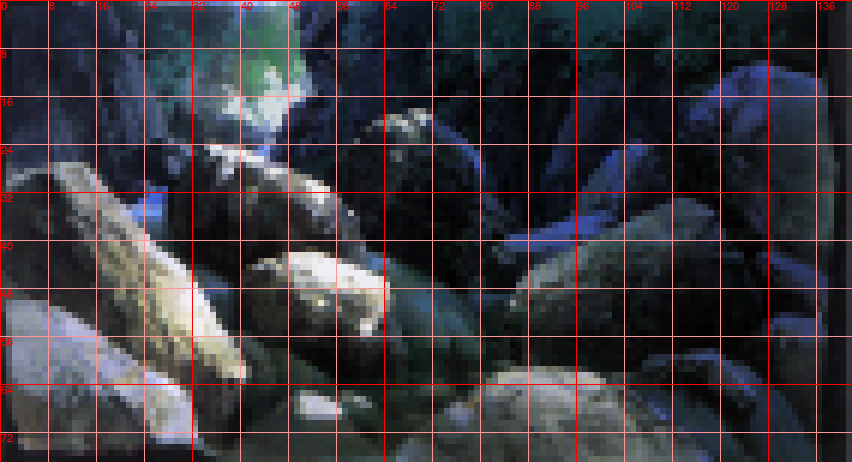
nb258. C-0792 reduced to 142 px with the grid. Every boulder outline in P5 was read off this.
The reduced plate is also your target. Everything below is judged against it, never against the scan.
3. Carbon transfer: take his layout, never his pixels
This rule took me three tries to learn.
- Take from him: where the masses are, and where his lit shapes are, organised (smoothed one or two pixels so they stay shapes). This is like tracing his layout with carbon paper, which background painters do anyway (p.38).
- Decide yourself: the palette, the light (which planes get it), and every mark.
When I sampled his colours directly (each pixel takes the nearest of my paints to his colour), I got a worse quantiser: muddy, blotchy, orphan pixels everywhere. When I placed marks where my noise said, I got wallpaper. The copy only teaches you something when you make his decisions and the result still matches.
Here's the carbon transfer from P1, a three-value notan of his brightness, organised:
Ls = gaussian_filter(L, 1.0)                      # his value design, smoothed to shapes
q = np.quantile(Ls, [0.45, 0.72])
cv.a[:] = np.where(Ls < q[0], I['hole'], np.where(Ls < q[1], I['dim2'], I['mid2']))
cv.a = majority(cv.a, 2)                          # kill orphans: a pixel with <2 same neighbours takes the mode
and from P5, where his layout was only ever polygons read off the grid, and every plane's light is mine:
lit = [
    ([(0, 34), (10, 28), (20, 28), (30, 36), (38, 50), (42, 62), (38, 66), (24, 58), (10, 48), (0, 44)],   # outline
     [([(0, 34), (10, 28), (20, 28), (30, 36), (38, 50), (40, 58), (30, 50), (16, 38), (4, 38)], 'li2'),    # sunlit top plane
      ([(8, 30), (18, 30), (26, 38), (18, 36)], 'li3')]),                                                   # its brightest part
    ...
4. A canvas of indices, and marks you place
src/copykit.py is small. A Canvas holds palette indices, not colours. Its operations are the book's brush vocabulary:
class Canvas:
    def mass(self, pts_or_mask, idx, wet=0, ...):     # flat brush area; wet>0 breaks the edge into bleed tongues
    def split(self, mask, p0, p1, idx_side, wet=0.8): # a plane decided by a drawn line
    def mottle(self, mask, idx, share=0.25, scale=1.6):  # 塗りムラ: broad uneven patches of a 2nd paint
    def gradient(self, mask, idxs, axis_pts, ...):    # a hake gradation
    def line(self, pts, idx):                         # clean 1-px runs
    def dab(self, x, y, idx, shape='leaf'):           # a leaf-shaped touch of the brush tip
    def flat_stagger(self, ridge, idx, ...):          # cover step 6: the flat brush shifted vertically
    def splay(self, x, y, idx, ...):                  # cover step 7: the splayed flat brush
    def snapshot(self, name):                         # keep each stage
The wet edge is a signed distance plus noise, so the boundary moves by a pixel or two in tongues rather than per-pixel speckle:
din = edt(m); dout = edt(~m)
sd = np.where(m, din, -dout)                  # signed distance, + inside
m = sd + wet * 0.8 * n > 0.5                  # n: smooth noise, scale ~1 px
5. Stage it, in his order
Every copy calls cv.snapshot() after each stage, and the sheet shows the stages beside his reduced crop. Stage 1 must already read as the passage. If it doesn't, no mark will save it. The book says this about the ground stage, and the sheets let you check it.
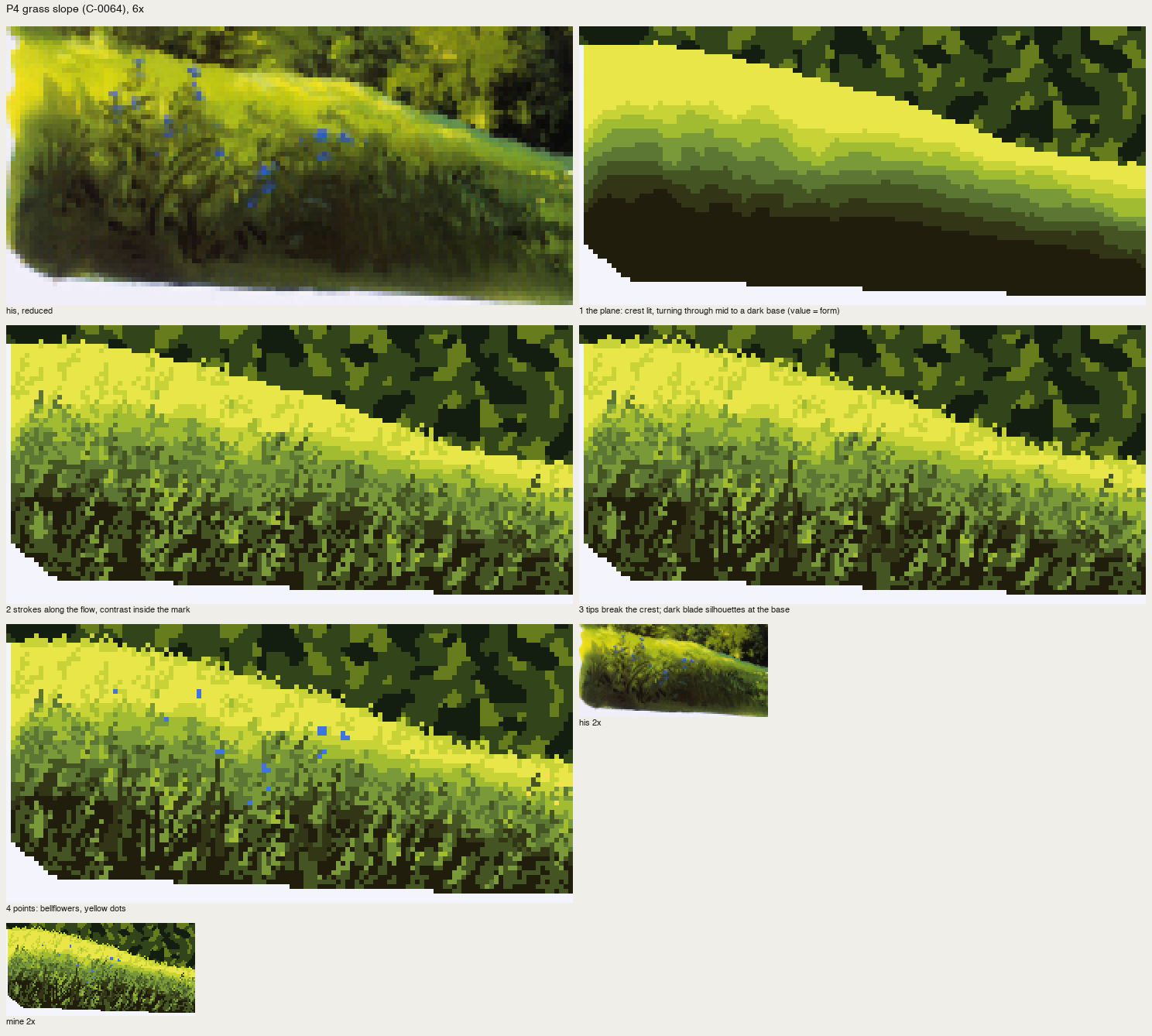
fig. P4 by stage: his crop; the plane's value turn alone; strokes; tips and silhouettes; flowers. Stage 1 is already a slope.
6. Compare at 6–8×, then look at 1–2×
At 8× you see the marks; at 1–2× you see whether it reads. P1's watershed version read as trees at 1× and was sawtooth Voronoi cells at 8×. Both views have to hold.
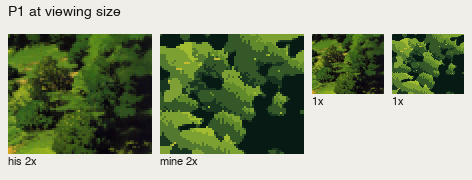
nb215. His | mine at 2× and 1×. The 1× view says "trees"; the 8× sheet (nb214) said "scales".
7. Call a cold critic
A fresh subagent with the sheets and the book's principles, and no idea what I'd tried, found in one pass what I'd been circling for an hour. Its read on four passage sheets:
the student is still building each picture from tone patches and texture fill. What his painting carries is shape vocabulary per material.
It's the book's own sentence (p.50), which I'd read and written down and not used. Every mark in how-tos 5–8 comes out of that critique. Ask for located problems and pixel-level fixes, and ask for bluntness.
8. When a copy holds, it becomes a mark
A passage that holds at 8× and at 1× gives you a mark you can place anywhere: the clump, the staggered dash, the facet rock, the grass wedge. src/vocab.py is those marks with named palette slots. The copy stays behind as its reference image. When a mark drifts in a place study, go back to its copy.